WSA Accessory Firmware Updater Tool

A firmware updater tool is now available for our TV Sound. This WSA Accessory Firmware Updater Tool is a PC application that enables firmware updates for already released accessory products from WSA.

Firmware updates help customers and HCPs to get the best possible experience from our accessory products. After a product is launched, performance or compatibility issues may sometimes be identified. Updating accessory firmware can solve problems that cannot be fixed through hearing aid firmware updates alone.

The WSA Accessory Firmware Updater Tool makes it easy to update USB-connected accessories and can be used on computers with Windows 10 and higher.
Installation guide

Download and install

Click on the download button below to start the installation.

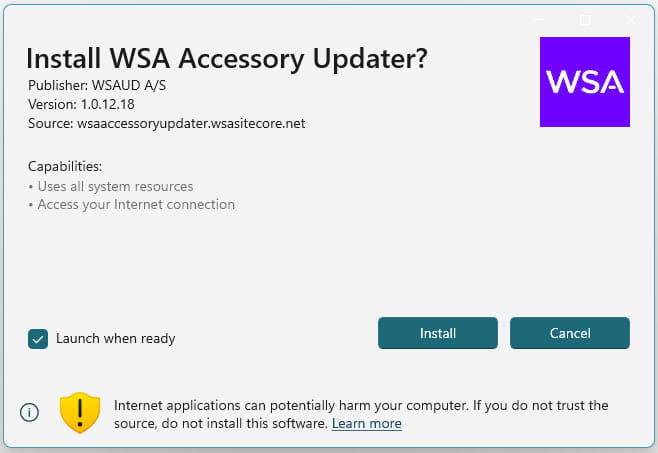
Depending on which computer setup is used, you will either go directly to the installation program, or the PC browser will download the file and then you have to click on “Open file”.

Click "Install"

Accessory updater tool
Firmware updater tool - screenshot download

Select device

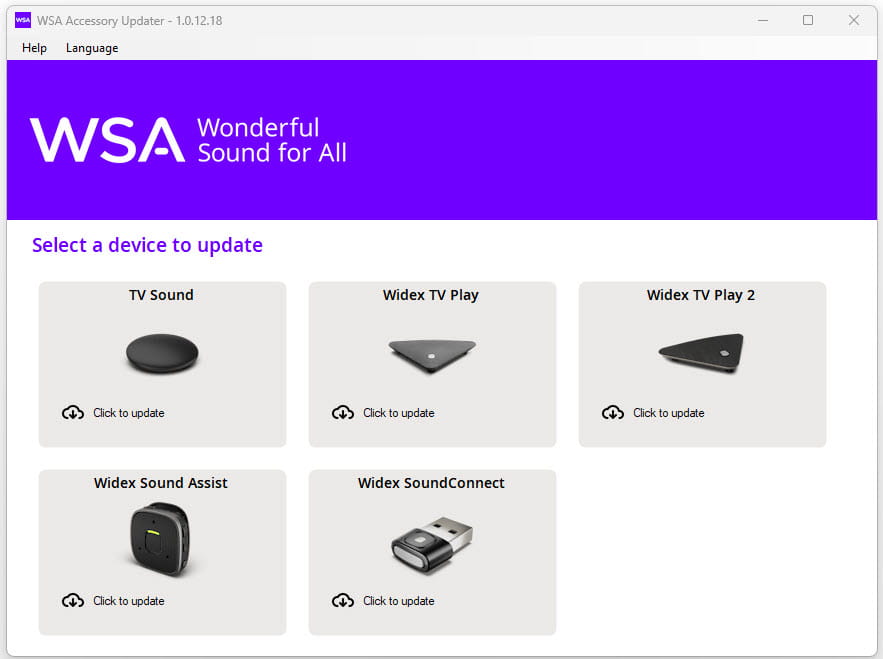
Now the Update tool is installed.

To update a device, select it from the list.

Click one of the devices (in this example TV Sound was activated).

Firmware updater tool - screenshot choose device

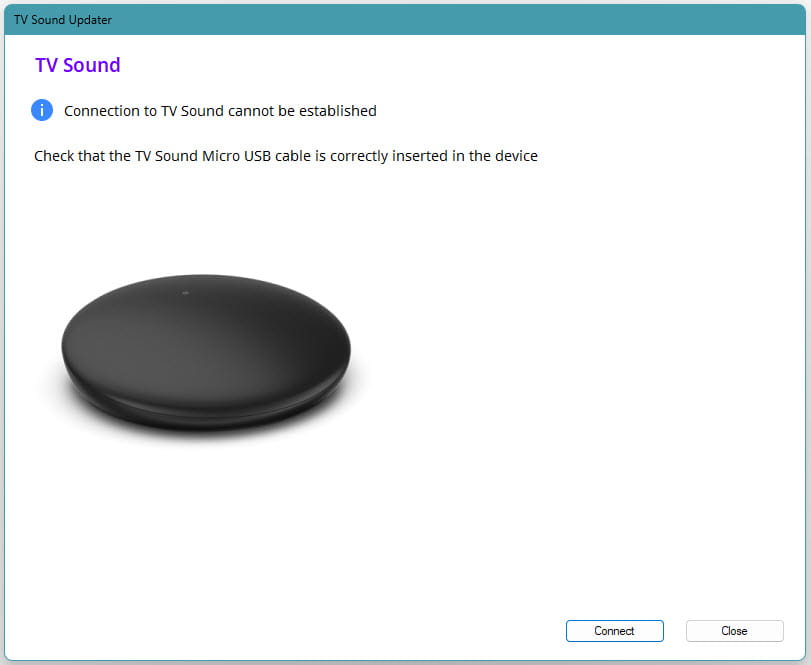
Connect your TV Sound

Connect the device to your Windows PC using the Micro USB cable provided with your device.

When the device is connected with the Micro USB cable, click on "Connect".

Firmware updater tool - screenshot connect device

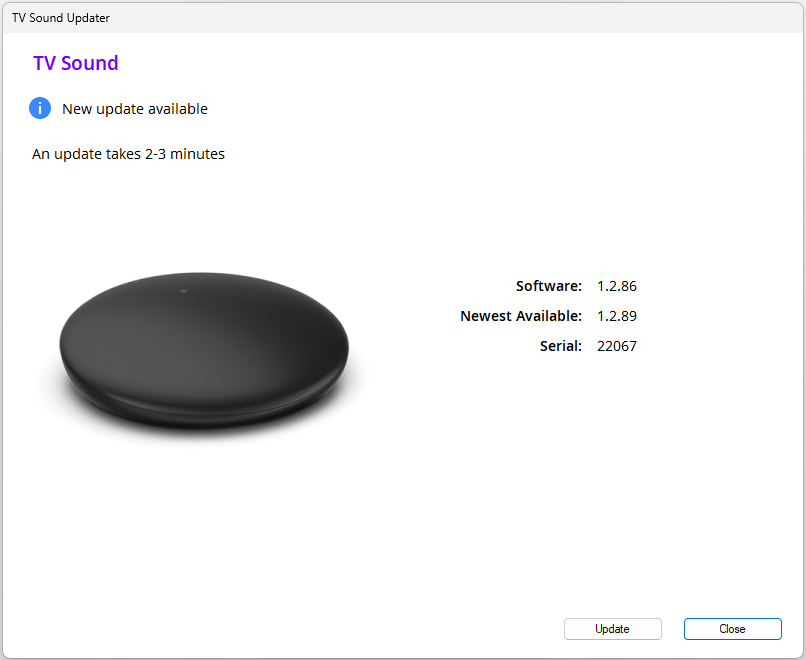
Update firmware

When the device is connected, click on “Update”

The update will only take a few minutes.

Firmware updater tool - screenshot update

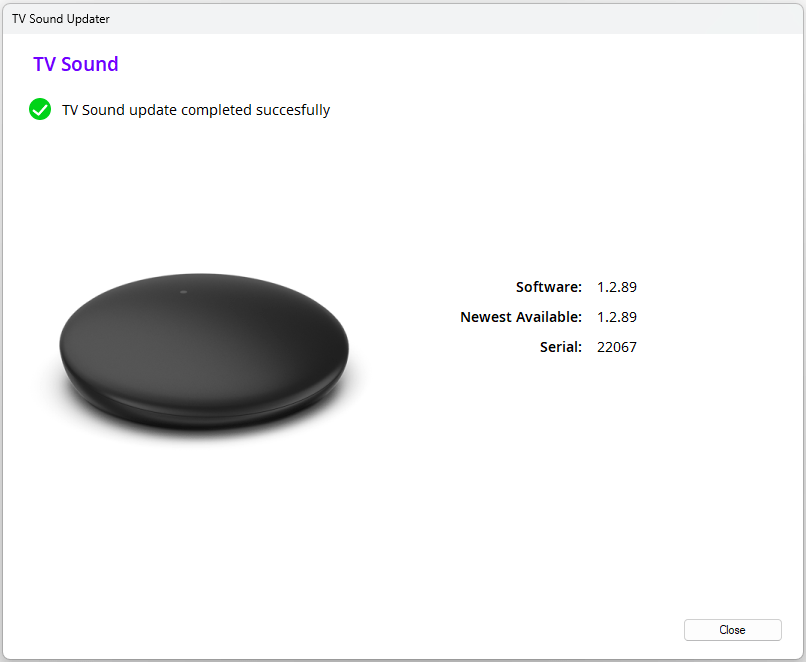
Success

When the screen is indication that the update was successfully completed, you can close the application and remove the USB cable.

If you want to update multiple devices, simply connect the next device via the cable and click on the respective device and follow the same procedure.

Firmware updater tool - screenshot success
Go to the top